High Compression Multimedia Archiver
WinUHA is a file compression utility that allows you to archive multiple files.
Top Recommended Alternative

How many times, for instance, have you tried to send a movie clip to a friend only for the email to bounce back due to size restrictions imposed by the service provider? Usually in this case we turn to our old friends WinZip or WinRAR, but believe it or not, WinUHA produces smaller file sizes than these popular tools.
WinUHA provides a graphical interface for UHARC, a command-line application, which is proven to have the best compression ratio around, achieving rates of 10-20 percent better than RAR or ZIP. The original version is very slow and has no graphical interface, which prompted this developer to open up the format to the public at large.
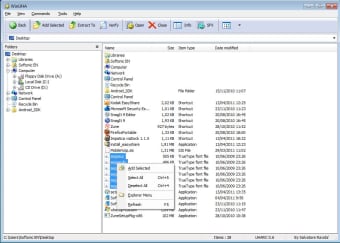
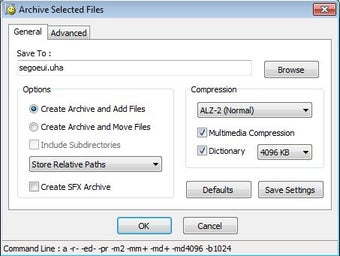
WinUHA doesn’t do a bad job either, operating in a very similar way to WinZip and, aside from an annoying donation screen, allows you to get down to business pretty quickly, adding files to the archive with a single click or by dragging them into the clearly laid-out directory window.
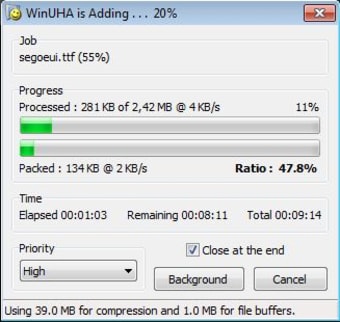
Once you’ve clicked to compress the selected files you start to realize the power of the UHARC format. We were very impressed that WinUHA managed to shrink down files of 11.1Mb down to 7.1Mb, compared to 9Mb when we performed the same operation in WinZip.
However, this high compression ratio comes at a cost – the speed. There’s no doubt that compressing with WinUHA is significantly slower than its major rivals, and unlike WinZip, you don’t get the option of tweaking the compression ratio to speed things up.
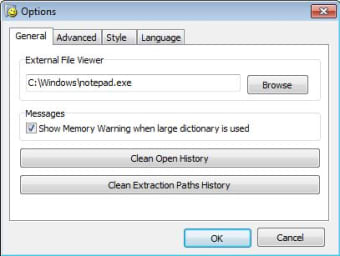
There’s not much else more WinUHA than the simple process of compressing and decompressing files and you won’t find many other options, other than basic settings for changing the interface.
The high compression ratios provided by WinUHA should come in handy for sending email attachments, and as the size of the files you archive increases, you'll start to notice the its real benefit.